
As many event planners like to say, “The invitation is the first glimpse of the party.” A simple digital file can carry just as much excitement as a thick, glossy card.In this guide, the focus stays on ease, creativity, and real-life parenting. You will learn what digital invitations are, how they save money and time, how to pick the perfect theme, and how to customize every detail without design skills. You will also see which features act like mini party planners, how to time invitations for the best turnout, and how Layer7 Designs helps parents create magical, affordable invitations.
Table of Contents
show
Key Takeaways
- Digital invitations cost far less than printed cards while still looking polished and photo-ready. No printing, envelopes, or postage.
- Customization is simple thanks to pre-made templates, drag-and-drop tools, and clear text boxes. Most parents only need to type details and pick colors.
- Time-saving features like instant delivery, RSVP tracking, and reminder messages keep guest info in one place instead of scattered texts and notes.
- Theme options cover every age and interest from animals and tractors to gaming, sports, glow parties, and more.
- Professional-quality designs are available at every price level, from free templates to low-cost premium options.
- Many services help parents carry the invitation theme into party decor, using matching colors, fonts, and graphics for decorations and goody bags.
What Are Digital Invitation Design Services
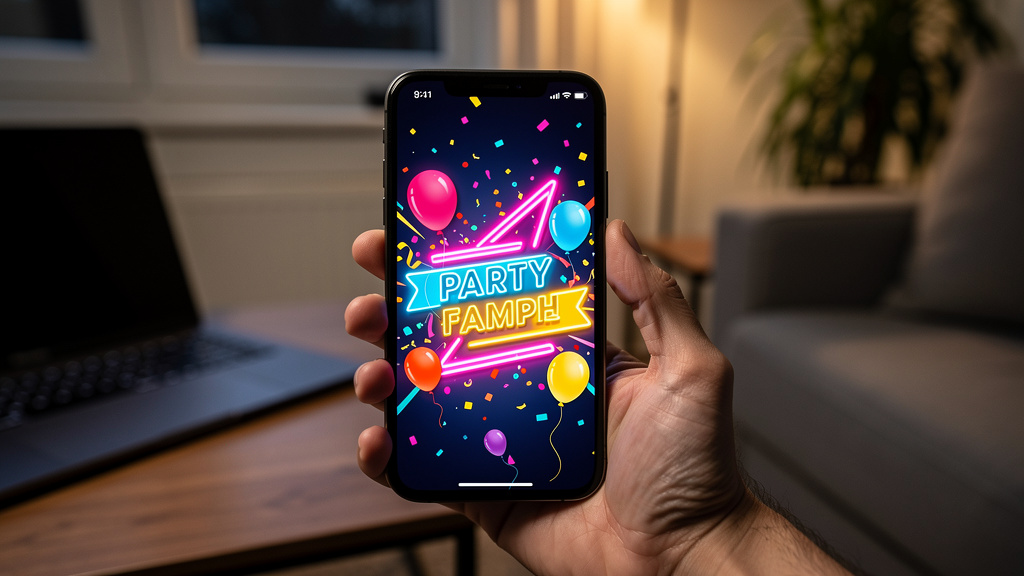 Digital invitation design services are online platforms or shops where parents create virtual party invitations instead of ordering printed cards. They offer libraries of ready-made templates, simple editors, and built-in delivery options, so anyone who can type and click can design an invite that feels professional.
The basic flow is straightforward:
Digital invitation design services are online platforms or shops where parents create virtual party invitations instead of ordering printed cards. They offer libraries of ready-made templates, simple editors, and built-in delivery options, so anyone who can type and click can design an invite that feels professional.
The basic flow is straightforward:
- Browse templates by age, theme, or style.
- Pick a design and add the child’s name, age, date, time, and venue.
- Adjust colors, fonts, and sometimes add a photo.
- Send the invite by email, text, or a shareable link.
Why Choose Affordable Digital Invitations Over Traditional Options
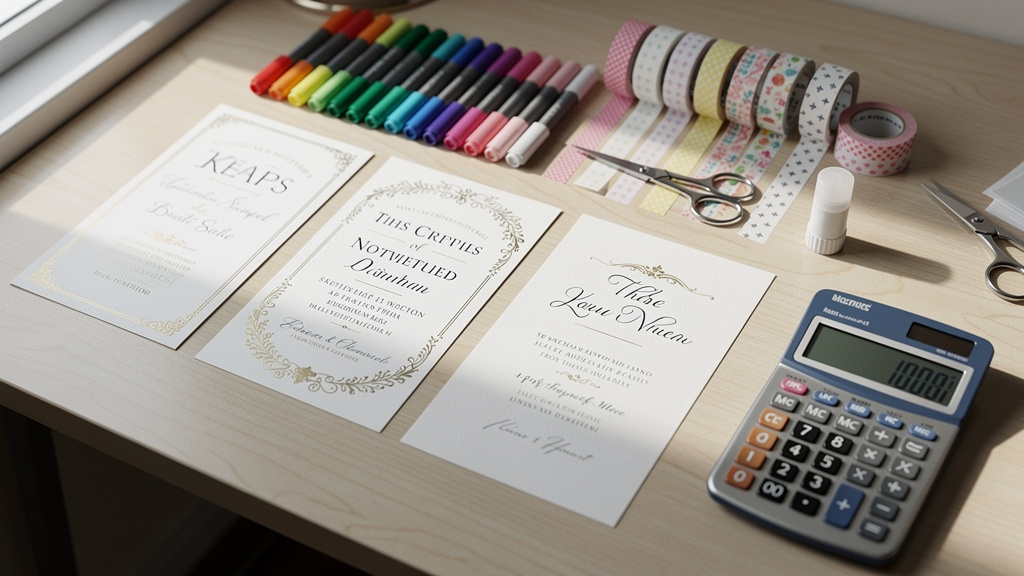 Switching from printed cards to digital invitations can feel like a big step, especially for parents who grew up with paper invites tucked into backpacks. Once you compare cost and time, though, digital usually wins.
Cost: Printed invitations can run two to five dollars per card once design, printing, envelopes, and postage are added. For a class of twenty to thirty kids plus family friends, that eats up a large chunk of the party budget. Many affordable digital invitation design services for kids offer:
Switching from printed cards to digital invitations can feel like a big step, especially for parents who grew up with paper invites tucked into backpacks. Once you compare cost and time, though, digital usually wins.
Cost: Printed invitations can run two to five dollars per card once design, printing, envelopes, and postage are added. For a class of twenty to thirty kids plus family friends, that eats up a large chunk of the party budget. Many affordable digital invitation design services for kids offer:
- Free designs, or
- Premium templates for under twenty dollars per event
- Track RSVPs automatically
- Send updates if plans change
- Store all guest information in one dashboard
Finding The Perfect Theme For Your Child’s Celebration
 Choosing a theme is often the most fun part of planning. The invitation is where that theme first appears, setting the mood and hinting at what kind of fun guests can expect.
Start with what your child loves right now. A toddler might adore tractors or cows, while a second grader might be deep into space, superheroes, or dinosaurs. Most affordable digital invitation design services for kids let you sort by:
Choosing a theme is often the most fun part of planning. The invitation is where that theme first appears, setting the mood and hinting at what kind of fun guests can expect.
Start with what your child loves right now. A toddler might adore tractors or cows, while a second grader might be deep into space, superheroes, or dinosaurs. Most affordable digital invitation design services for kids let you sort by:
- Age group
- Interests (animals, gaming, sports, rainbows, etc.)
- Style (bright, minimal, cute, bold)
Popular Themes For Toddlers And Young Children Ages 1 To 5
For younger kids, simple and colorful designs work best. Common toddler-friendly themes include:- First birthday designs with big numbers, crowns, and sweet milestone messages
- Animals: farm, barnyard, jungle, or safari scenes with lions, giraffes, and elephants
- Sweets: cakes, cupcakes, ice cream, and candy
- Vehicles: cars, trucks, trains, tractors, and construction
- Dinosaurs: cute “Two Rex” or friendly dino characters
- Whimsical favorites: princesses, fairies, rainbows, and unicorns
Trending Themes For School Age Kids Ages 6 To 12
As kids get older, invitations often reflect specific hobbies and interests. Strong picks for this age range include:- Gaming: pixel art, console graphics, or arcade themes
- Sports: soccer, basketball, gymnastics, skating, or mixed-sport designs
- Creative parties: arts-and-crafts, slime labs, baking or donut decorating
- Adventure: superheroes, ninjas, pirates, or space missions with rockets and planets
- “Big kid” vibes: movie nights, sleepovers, neon or glow-in-the-dark parties
How To Customize Your Digital Invitation Step By Step
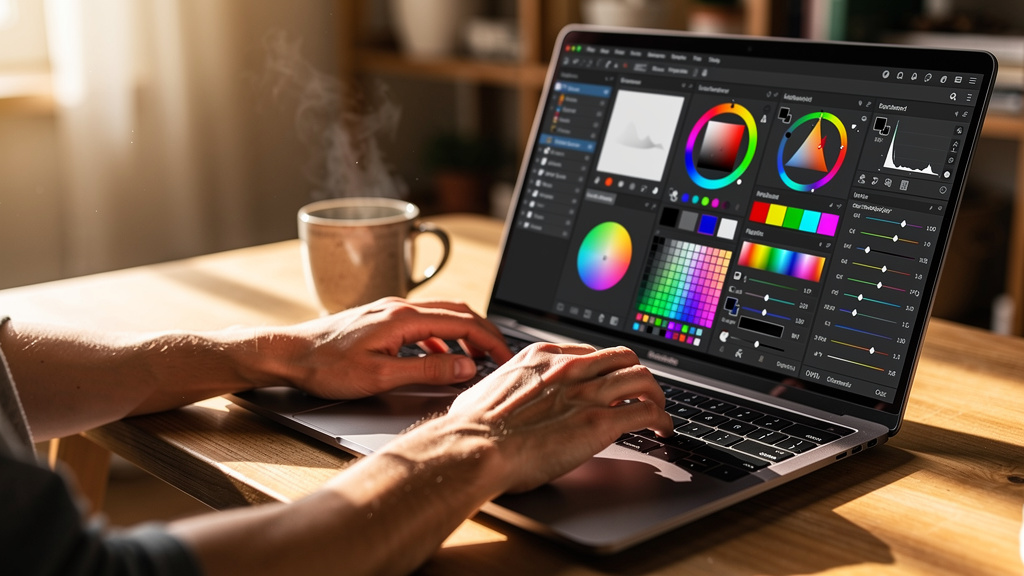 Customizing a kids party invitation sounds technical, but most platforms guide you through a few very clear steps. If you are using a shop like Layer7 Designs, you simply download the template and open it in Canva or another easy editor.
A typical process looks like this:
Customizing a kids party invitation sounds technical, but most platforms guide you through a few very clear steps. If you are using a shop like Layer7 Designs, you simply download the template and open it in Canva or another easy editor.
A typical process looks like this:
- Choose Your Template Browse by theme, age, or color. Decide whether you want bright and bold, soft pastels, or a clean, modern layout.
- Add A Photo (If The Design Allows) Use a clear, well-lit photo where your child is the focus. Simple backgrounds work best, especially on small phone screens.
- Enter Party Details Type the child’s name, age, date, start and end times, and full address. Most editors show text boxes right on the design and update instantly as you type.
- Adjust Fonts And Colors Match the color scheme to balloons, tableware, or your child’s favorite shade. Pair a fun headline font with a simpler font for the details to keep everything easy to read.
- Add Fun Elements Some platforms offer digital stickers, icons, or subtle animations like sparkles or confetti. Use these lightly so the invitation stays clear.
- Create Or Edit The Event Page Many services generate a matching event page with RSVP buttons and extra details like parking info or drop-off notes.
- Preview Before Sending Check spelling, dates, and times. If possible, ask another adult to glance at it as well. When everything looks right, hit send and share the invite by email, text, or link.
Essential Features That Make Party Planning Effortless
The right digital invitation does more than look cute. Good platforms add planning tools that save time and reduce stress for busy parents. Look for these essential features:- Automatic RSVP Tracking See at a glance who has opened the invite, who’s coming, who’s not, and who has not answered yet.
- Guest List Segmentation Separate attending, not attending, and no-response lists. Many services also track how many adults and children will attend, which helps with food and goody bag counts.
- Custom Guest Questions Add your own fields for food allergies, dietary needs, or T-shirt sizes. All answers stay attached to each guest’s RSVP instead of being buried in texts.
- Reminders And Broadcast Messages Send gentle nudges to families who have not replied, or share last-minute updates—like a change to indoor plans because of rain—with everyone at once.
- Multi-Channel Delivery Send via email, SMS, and links for group chats. Premium options often remove ads, giving guests a clean and polished experience.
Crafting The Perfect Invitation Wording
Even the cutest design needs clear wording. Parents of young kids juggle school, naps, and sports, so they need to know the basics fast. Every kids party invitation should include:- Child’s name and age
- Date and day of the week
- Start and end time
- Full address of the venue
- RSVP deadline and contact info
- Whether it is drop-off or if parents are welcome to stay
- If siblings are invited
- What to bring (swimsuits, socks, towels, jackets, etc.)
- What kind of food will be served
- Superhero: “Suit up and help us celebrate…”
- Glow party: “Get ready to light up the night at…”
- Farm theme: “Join us down on the farm for…”
Timing Your Invitations When To Send For Maximum Attendance
Even the best invitation cannot help if it arrives too early or too late. Digital invites send instantly, but timing still matters. A simple guideline:- Home parties and casual gatherings: Send invites 4 weeks before the party. Set the RSVP deadline about 1 week before the event.
- Venue parties (trampoline parks, bowling, art studios, etc.): Send invites 6 weeks before. Venues often want final numbers a week or two in advance, so this gives everyone time to respond.
- Larger milestone events (quinceañeras, bar/bat mitzvahs, Sweet Sixteen): Send invites 8–10 weeks ahead, similar to wedding timelines, especially if guests may need to travel.
Affordable Options Free Vs Premium Digital Invitations
One of the big advantages of digital invitations is how well they work for almost any budget. Parents can choose from free templates, low-cost premium designs, or subscriptions. Here is a quick comparison:| Option | Best For | Typical Features | Approximate Cost |
|---|---|---|---|
| Free | Small or simple kids parties | Basic templates, text editing, simple RSVPs | $0 |
| Single-Paid | Birthdays and milestones | Nicer artwork, extra fonts, stickers, no ads | About $5–$20 per event |
| Subscription | Families hosting multiple events a year | Full library access, advanced features, no ads | About $30–$60 per year |
Layer7 Designs Your Partner In Creating Magical Kids Invitations
Layer7 Designs was created with one clear goal: helping parents make kids’ parties feel special without burning through time or money. The shop focuses on digital invitations for children, so every template is built around real kids’ interests and busy family schedules. The library includes:- Bold, story-inspired themes like Kpop Demon Hunters
- Animal adventures with safari, jungle, or farm scenes
- Dinosaur invitations, including playful Two Rex designs
- Character-inspired looks with a nod to Pokemon-style art
- Classic favorites such as basketball, transportation (cars, trains, planes), ABC alphabet, donut, Sweet One, and Two Sweet parties
- Winter Onederland for snowy-season babies
- Soft, pastel Sweet One layouts
- Christmas-themed first birthday designs
- Many templates are editable in Canva, so parents can change text, dates, and colors in a familiar interface.
- For families who prefer a done-for-you option, Layer7 Designs can customize the template and return a ready-to-send file.
Coordinating Your Theme From Invitation To Party Decor
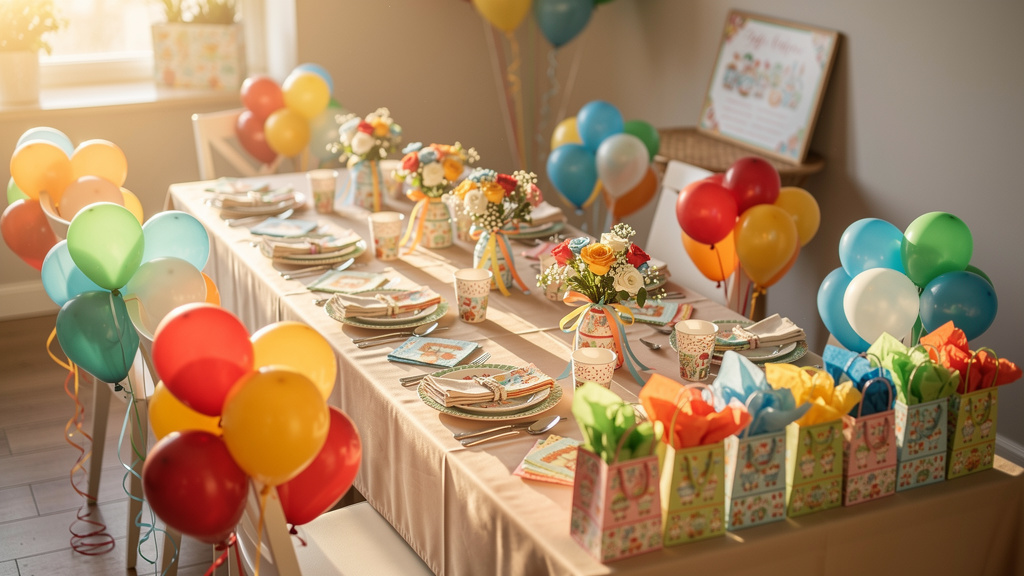 Once you choose an invitation, it becomes a simple guide for decorating the party space. Matching colors, fonts, and imagery from screen to real life makes the celebration feel well put together, even on a modest budget.
A practical approach:
Once you choose an invitation, it becomes a simple guide for decorating the party space. Matching colors, fonts, and imagery from screen to real life makes the celebration feel well put together, even on a modest budget.
A practical approach:
- Pick 2–3 main colors from the invitation. Use them for balloons, tablecloths, plates, cups, and napkins.
- Repeat a key element—like dinosaurs, donuts, stars, or jungle leaves—on banners, centerpieces, or cake toppers.
- Mix themed items with solids. One themed tablecloth plus solid plates and cups that match the invite colors often looks better—and costs less—than all themed items.
Conclusion
Kids parties do not have to mean last-minute stress and a stack of pricey printed cards. With affordable digital invitation design services for kids, parents can create invitations that look professional, match their child’s latest obsession, and reach guests in minutes instead of days—often for a fraction of the cost of printed stationery. The real power of digital invites is the mix of design and planning tools: automatic RSVP tracking, simple guest messaging, and easy customization. Services like Layer7 Designs show how thoughtful digital invitations can make any birthday feel personal and memorable, from a cozy first birthday at home to a glow party for tweens. Most importantly, this level of quality is now accessible to any parent, regardless of design experience or budget. With the right template and a few clicks, you can send an invitation that makes your child beam and guests smile—setting the tone for a celebration they will talk about long after the last balloon has deflated.Frequently Asked Questions
Question 1: Do I Need Design Experience To Create A Digital Invitation? No. Most platforms use drag-and-drop tools and simple text boxes, so you mainly type party details and choose from preset options. Pre-designed templates handle layout and color, while Canva-friendly files from shops like Layer7 Designs make editing feel as easy as working on a document. Question 2: Can Older Family Members Who Are Not Tech Savvy Receive Digital Invitations? Yes. Digital invitations open with a single click in email, just like any other message. For relatives who prefer paper, you can print the invite at home or at a local shop and mail or hand-deliver it. Shareable links by text also work well, since most people are comfortable tapping a link on their phone. Question 3: What If I Need To Change Party Details After Sending The Invitation? This is where digital shines. On most platforms, hosts can edit times, locations, or notes even after sending the invite. Updated details appear on the event page, and a broadcast message can go to all guests at once so nobody misses the new information. Question 4: Are Digital Invitations Appropriate For Formal Milestone Celebrations? Yes. Digital invitations are now widely used for everything from casual backyard birthdays to formal events. Many services offer elegant, minimal, or richly detailed designs that suit quinceañeras, bar and bat mitzvahs, and Sweet Sixteen parties. Premium collections with refined typography and artwork can look just as polished as high-end printed stationery. Question 5: How Do I Collect Information About Food Allergies From Guests? Most digital invitation platforms let you add custom RSVP questions. Include a clear prompt such as, “Does your child have any food allergies or dietary needs?” Guest responses are stored with their RSVP status, giving you one place to check allergy information when planning the menu.Instant Digital Download
ABC Alphabet Birthday Invitation — Personalized
Instant Digital Download
6-7 Birthday Invitation — Six Seven Party

Graphic Designer and Author at Layer7 Designs
Hi I am Vanshika, as the founder and creative mind behind Layer7 Designs, I have always had a deep passion for design and visual arts. From a young age, I found myself captivated by the power of art to evoke emotions and tell stories. This fascination led me to pursue a career in design, where I could combine my love for aesthetics with my innate ability to transform ideas into digital masterpieces.
Latest posts by Vanshika (see all)