You’ve seen those adorable milestone boards at first birthday parties—the ones displaying baby’s stats, favorites, and achievements in one beautiful display. You want one for your Wild One safari celebration, but custom boards cost $50+ and take weeks to ship.
Here’s the good news: you can create a professional-looking Wild One milestone board in under 30 minutes using an editable template. This step-by-step tutorial walks you through exactly what information to include, how to customize your template, where to print it, and how to display it at your safari 1st birthday party.
Whether you’re a Canva beginner or just short on time, this guide makes the process foolproof.
What Is a Wild One Milestone Board?
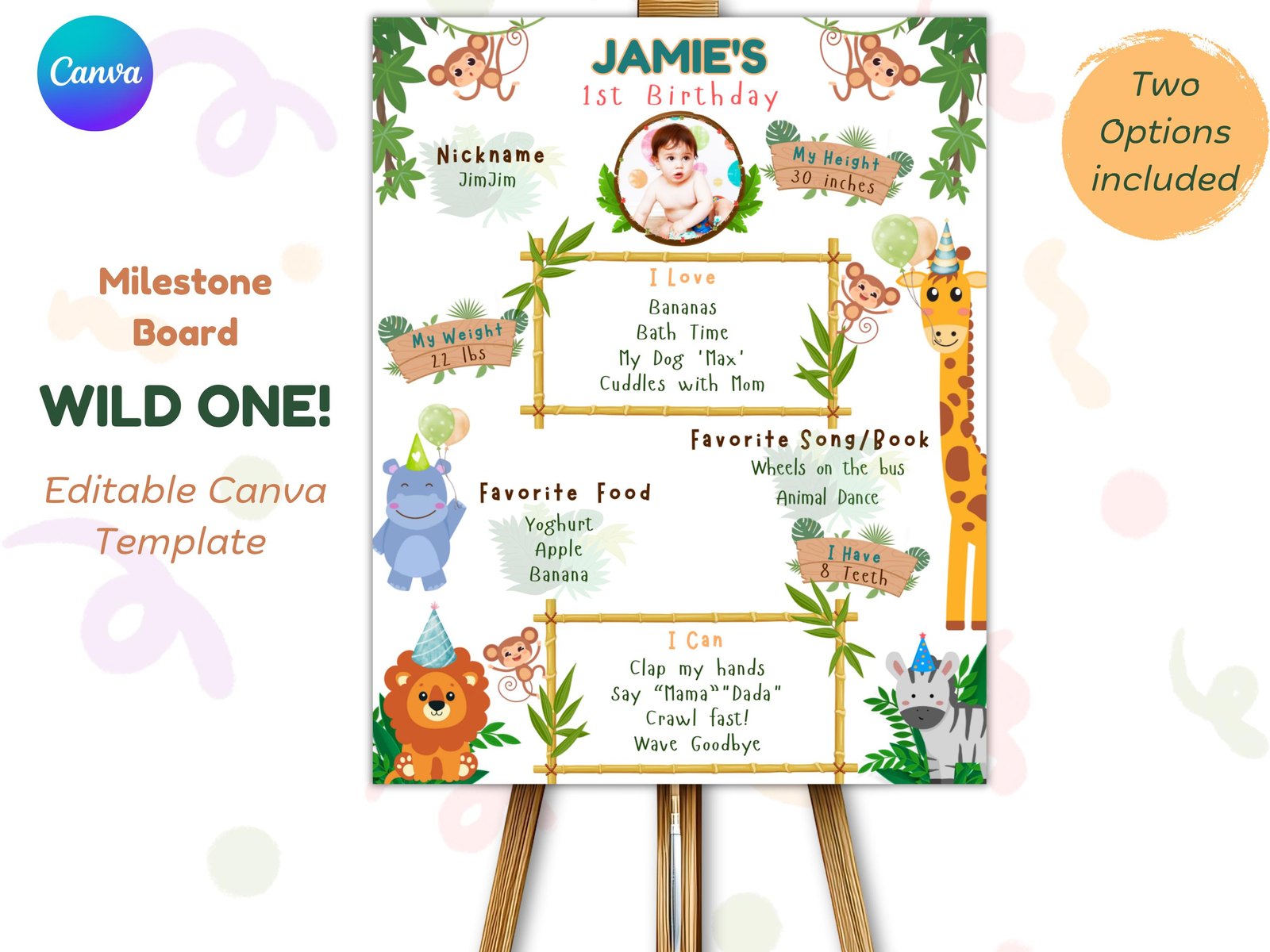
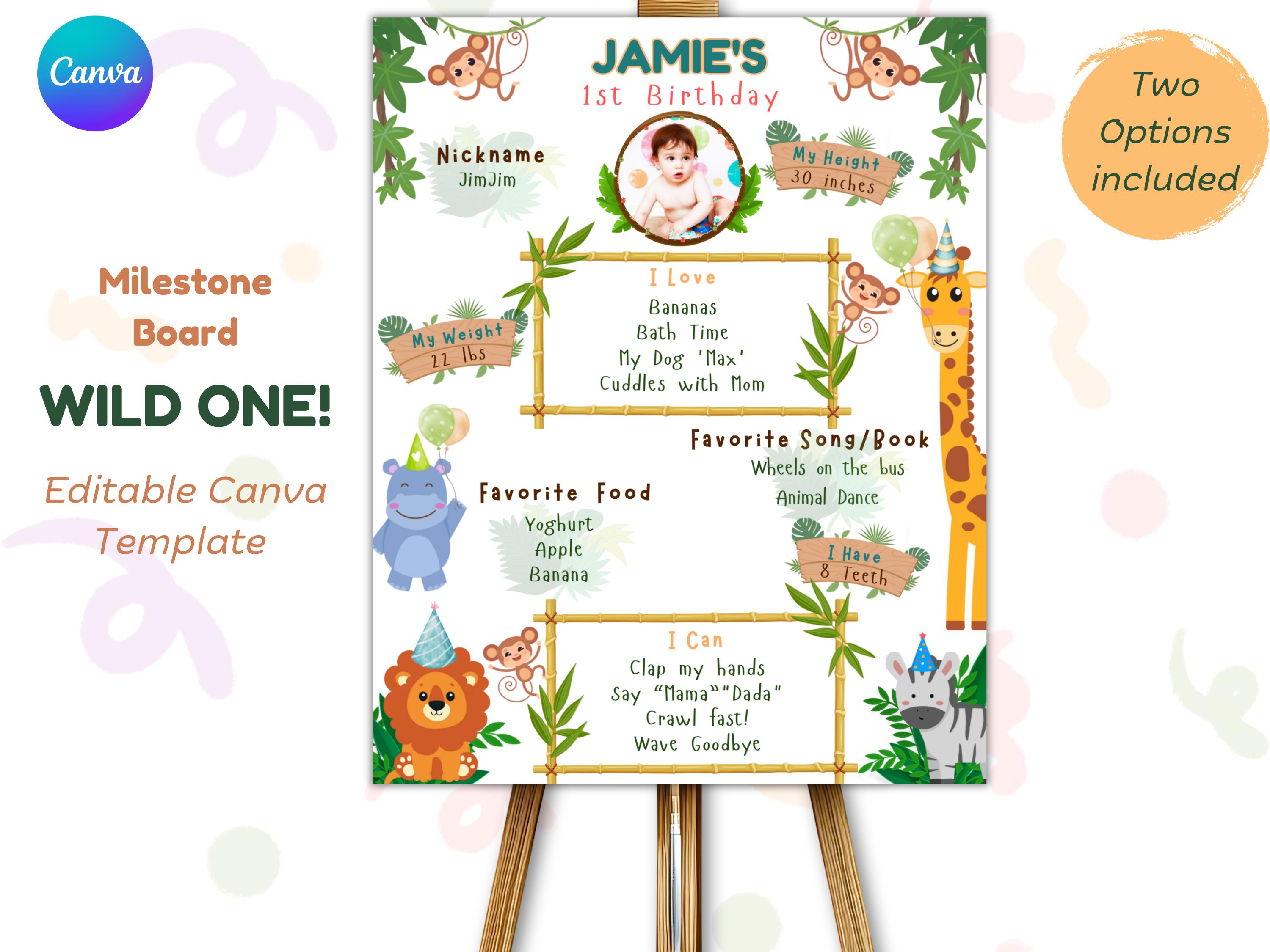
A 1st birthday milestone board (also called a stats poster or birthday infographic) displays your child’s first-year achievements in one visual display. Think of it as a “year in review” for your baby.
Typical elements include:
- Name and nickname
- Current weight and height
- Number of teeth
- Favorite foods, toys, and activities
- “I love” and “I can” statements
- A photo (optional)
For a Wild One safari theme, the board features jungle animals, earthy colors, and adventure-inspired design elements that match your party decorations.
Learn more about safari party planning in our Wild One Birthday Party Ideas guide.
Why Use an Editable Template Instead of DIY from Scratch?
You could build a milestone board in PowerPoint or hire a designer. But here’s why an editable Canva template is the smarter choice:
- Time savings: No design skills needed—just type and go
- Professional layout: Pre-balanced text, fonts, and spacing
- Reusable: Use the same template for ages 2-5 (many include bonus numbers)
- Instant access: Download and edit immediately after purchase
- Budget-friendly: One-time cost vs. $50-100 for custom designs
Plus, you can edit it on your phone, tablet, or computer—no software to install.
What You’ll Need
Before starting, gather these items:
- Free Canva account (sign up at Canva.com if you don’t have one)
- Baby’s stats and info (see next section for what to include)
- Photo of baby (if using the photo version—optional)
- Printer access (home printer or local print shop)
- 16×20″ frame or easel for display (optional but recommended)
Total time: 20-30 minutes for editing + printing time
Step 1: Gather Your Baby’s Stats and Information
Before opening Canva, collect all the information you want to display. This prevents mid-editing trips to find records.
Essential Stats to Include
- Full name and nickname (e.g., “Oliver” / “Ollie”)
- Weight: Current weight in pounds/ounces
- Height: Current height in inches
- Teeth: Number of teeth (even if it’s zero!)
Fun “Favorites” to Add
- Favorite food: “Bananas,” “Avocado,” “Mac and cheese”
- Favorite toy: “Stuffed elephant,” “Stacking rings”
- Favorite activity: “Splashing in bath,” “Chasing the dog”
- Favorite book: “Goodnight Moon,” “Dear Zoo”
- Favorite song: “Baby Shark,” “Twinkle Twinkle”
“I Love” and “I Can” Statements
- I love: “Cuddles,” “Peek-a-boo,” “Going to the park”
- I can: “Wave bye-bye,” “Say mama/dada,” “Walk (or cruise)”
Pro tip: Take a photo of your baby’s current favorites written on paper or your phone notes. This makes copying into the template faster.
Step 2: Access and Open Your Template
After purchasing your Wild One milestone board template, you’ll receive a PDF with a link to Canva. Here’s how to access it:
- Download the PDF from your email or Etsy/Shop purchases page
- Click the link inside the PDF (it says “Click to Edit in Canva”)
- If prompted, sign in to your Canva account (free works fine)
- The template opens in your Canva editor
Important: Click “Use Template” or “Make a Copy” to save it to your account. This creates your own editable version without affecting the original.
Instant Digital Download
Wild One Milestone Board – Safari 1st Birthday Stats Poster
Step 3: Customize Your Milestone Board
Now comes the fun part. Here’s what to edit:
Edit Text Fields
- Click on any text box (name, stats, favorites)
- Delete the sample text
- Type your baby’s information
- Click outside the box to save
Font changes: If you want a different font, click the text, then use the font dropdown at the top. Stick to readable fonts—this board will be viewed from a distance.
Add Your Photo (Photo Version Only)
- Click on the photo frame placeholder
- Click “Uploads” on the left sidebar
- Upload your baby’s photo from your device
- Drag the photo into the frame
- Adjust positioning by double-clicking and dragging
Photo tip: Use a high-quality photo with good lighting. A simple portrait works better than busy group shots.
Swap the Age Number
Many Wild One templates include bonus numbers for ages 2-5. To change the number:
- Find the “1” on your template
- Delete it or hide that element
- Find the bonus number you want (2, 3, 4, or 5)
- Drag it into place where the “1” was
This feature lets you reuse the template for future birthdays—huge value for growing families.
Adjust Colors (Optional)
If your party uses a specific color scheme (pastel safari vs. bold jungle), you can change text colors:
- Click on the text you want to change
- Click the color box in the top toolbar
- Choose a new color or enter a hex code
Note: Animal graphics and background elements are usually locked to preserve design quality. Focus on customizing text and photos instead.
Step 4: Download Your File
Once editing is complete, download your milestone board:
- Click “Share” in the top right corner
- Click “Download”
- Choose “PDF Print” (best quality for printing)
- Check “Crop marks and bleed” if your print shop requires it
- Click “Download” and save to your device
PDF Print vs. PNG: Always choose PDF Print for physical posters. It preserves quality and ensures correct sizing.
Step 5: Print Your Milestone Board
Your template is sized at 16×20 inches—a standard poster frame size. Here are your printing options:
Option 1: Local Print Shop (Recommended)
Stores like Staples, FedEx Office, Walgreens, and Office Depot offer poster printing services.
- Cost: $5-15 for a 16×20″ poster
- Turnaround: Same-day or next-day
- Paper options: Glossy, matte, or cardstock
Pro tip: Ask for “poster paper” or “photo paper” rather than standard copy paper. The thicker stock looks more professional and doesn’t wrinkle easily.
Option 2: Online Print Services
Upload your file to Vistaprint, Shutterfly, or similar services. They mail the printed poster to your home.
- Cost: $10-25 depending on paper quality
- Turnaround: 3-7 business days + shipping
- Best for: Planning ahead (not last-minute)
Option 3: Home Printing
If you have a large-format printer, you can print at home. Most home printers max out at 8.5×11″ or 11×17″, so this only works if your template offers a smaller size option.
- Cost: $2-5 in ink and paper
- Turnaround: Immediate
- Best for: Quick proofs or smaller displays
Step 6: Display Your Milestone Board
Now that your board is printed, here’s how to display it at the party:
On an Easel (Most Professional)
Buy or borrow a tabletop or floor easel ($10-20 at craft stores). Place it near the cake table or photo backdrop for maximum visibility.
In a Frame (Reusable Keepsake)
Slide your poster into a 16×20″ frame. After the party, hang it in your nursery or playroom as a memory. Frames from IKEA, Target, or Amazon cost $15-30.
Leaning Against a Wall (Budget Option)
For a casual look, lean the poster against a wall on a shelf or mantle. Add string lights or fake vines around it to tie into your safari theme.
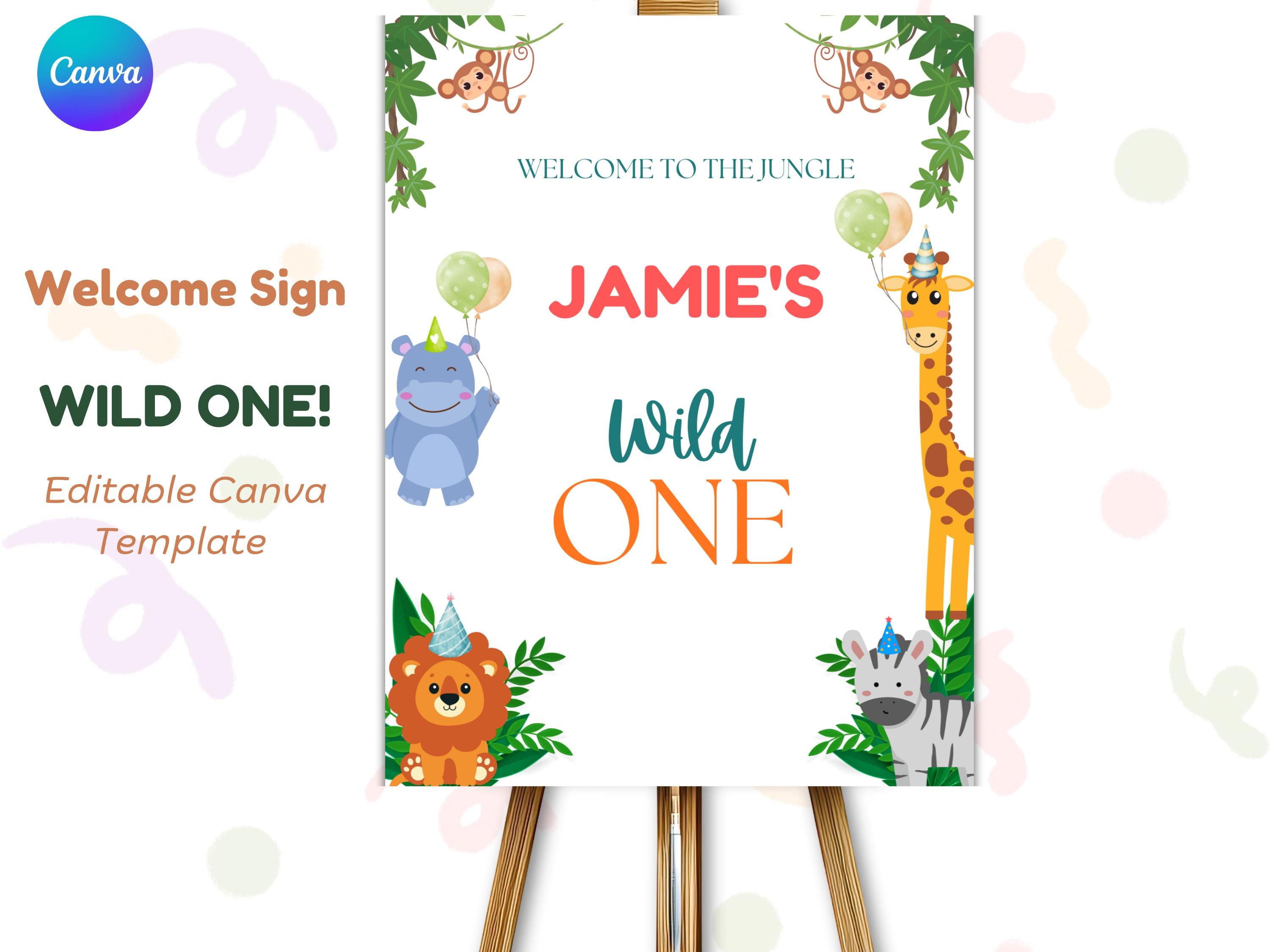
Photo Backdrop Prop
Position the milestone board next to your cake smash setup. Guests can take photos with it, and it becomes part of your party documentation.
For more display ideas, check our Wild One Party Ideas guide.
Common Mistakes to Avoid
Learn from other parents’ errors:
Waiting Until the Last Minute
Editing takes 20 minutes, but printing can take days. Start at least one week before the party to allow time for reprints if needed.
Using Low-Resolution Photos
Blurry photos look worse when printed large. Use photos taken in good lighting with a recent phone or camera. Avoid screenshots or social media downloads (they’re compressed).
Overcrowding the Board
Less is more. Stick to key stats and 3-5 favorites. Too much text makes the board hard to read from a distance.
Forgetting to Save Your Copy
Always click “File → Make a Copy” in Canva before editing. If you edit the original template link, your changes won’t save properly.
How to Reuse Your Milestone Board for Future Birthdays
Many Wild One templates include bonus numbers for ages 2-5. Here’s how to maximize that value:
- Save your Canva file: Keep the edited version in your account
- Update stats yearly: Change weight, height, favorites each year
- Swap the number: Replace “1” with “2,” “3,” etc.
- Print fresh copies: Create a new board each birthday as a growth timeline
After five years, you’ll have a complete set of milestone boards showing your child’s growth—a priceless memory collection.
Complete Your Safari Party Setup
Your milestone board is the centerpiece, but tie it into your full Wild One safari theme with matching elements:
Invitation
Wild One Safari Invitation
Welcome Sign
Wild One Welcome Poster
For complete party planning, see our Wild One Birthday Party Ideas pillar post with 25+ decoration, food, and activity suggestions.
Frequently Asked Questions
What size is a standard milestone board?
Most milestone boards are 16×20 inches—a standard poster frame size. This is large enough to read from across the room but small enough to display on a tabletop easel.
Can I edit this on my phone?
Yes! Canva has free apps for iOS and Android. Editing on a phone works fine for text changes, but uploading photos and fine-tuning layout is easier on a computer or tablet.
Do I need Canva Pro?
No. A free Canva account works perfectly for editing milestone board templates. Pro features like background removal or premium fonts aren’t necessary for this project.
How far in advance should I create the board?
Ideally 1-2 weeks before the party. This gives you time to edit, print, and order a frame or easel if needed. Last-minute is doable but adds stress.
Can I use this for a non-safari theme?
The Wild One template is safari-specific with jungle animals and earthy colors. For other themes, look for theme-specific milestone boards (donut, mermaid, etc.). The editing process is identical.
What Success Looks Like
You’ll know your milestone board is ready when:
- ✅ All text is spelled correctly (especially baby’s name!)
- ✅ Photo is high-quality and centered (if using photo version)
- ✅ Stats are accurate and up-to-date
- ✅ File is downloaded as PDF Print
- ✅ Poster is printed on quality paper (not flimsy copy paper)
- ✅ Board is displayed where guests can see it
When guests arrive and start taking photos with your beautiful milestone board, you’ll know the 30 minutes you spent was worth it.
Ready to Create Your Milestone Board?
Best Value ⭐ Includes Ages 1-5
Wild One Milestone Board – Safari 1st Birthday Stats Poster
Download instantly, edit in minutes, and create a keepsake you’ll treasure for years. Your Wild One safari party deserves a milestone board that captures this special year perfectly.